Testing And Hardware
February 07, 2009
I have recently been in need of a good storage solution. After seeing what is available on the market, I decided to build my own system and use OpenSolaris and ZFS.
In order to test my ideas without spending a lot of money up front, I downloaded and installed VirtualBox, a great little tool for running virtual computers.
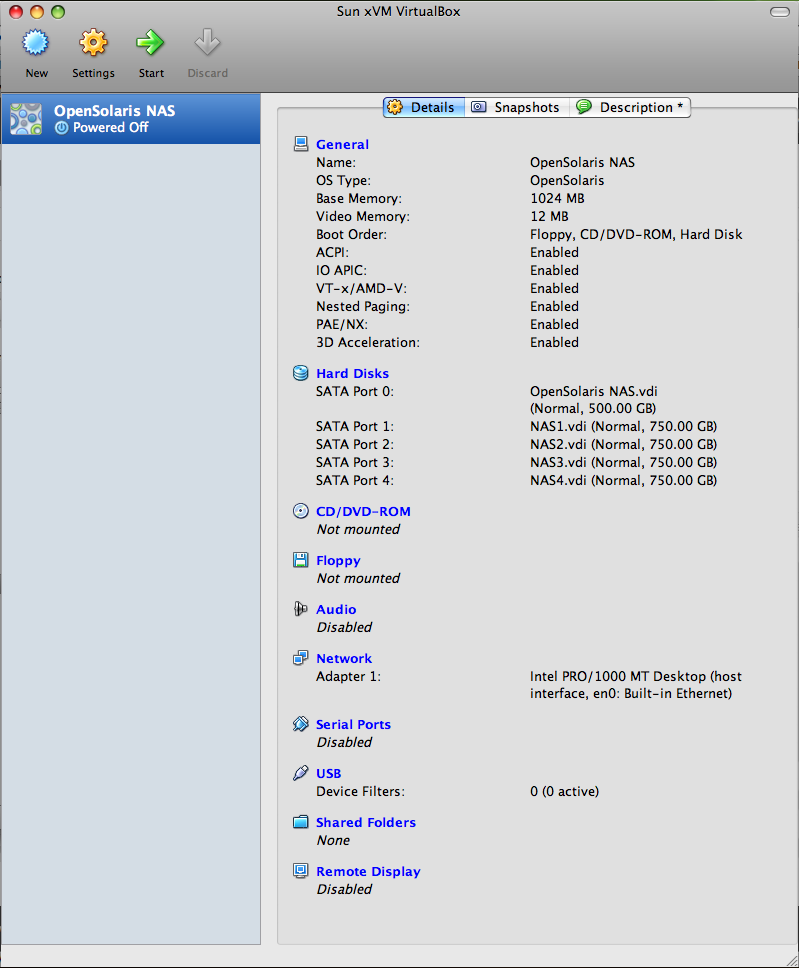
Everything worked great in VirtualBox. Installation and setup were really simple. The ZFS commands are quite simple and easy to use. I found a great ZFS-based NAS tutorial online.
Everything is set up and ready to go. Let’s go shopping for hardware.
I chose to buy all of my parts at newegg.com because of their good prices, good return policies, and my good experiences ordering things there in the past. I decided on the following parts:
- Antec Performance One P180 Silver cold rolled steel ATX Mid Tower Computer Case - Retail
- Antec Signature SG650 650W ATX12V / EPS12V SLI Certified CrossFire Ready 80 PLUS BRONZE Certified Modular Active PFC Power Supply - Retail
- Intel Core 2 Duo E7400 Wolfdale 2.8GHz LGA 775 65W Dual-Core Processor Model BX80571E7400 - Retail
- BIOSTAR TPower I45 LGA 775 Intel P45 ATX Intel Motherboard - Retail
- OCZ Reaper HPC 4GB (2 x 2GB) 240-Pin DDR2 SDRAM DDR2 1066 (PC2 8500) Dual Channel Kit Desktop Memory Model OCZ2RPR10664GK - Retail
- Sony Optiarc Black IDE DVD-ROM Drive Model DDU1675A - OEM
- NETGEAR GS108T 10/100/1000Mbps Gigabit Smart Switch - Retail
The tutorial I mentioned above recommended the Antec case for its quality and sonic properties. Thus far, I have been quite satisfied with it. I got the Antec power supply bundled with the case. The discount was nice, and since the case has an unusual power supply location, I figured that the same company would make a power supply with long enough cables. I feel a little more comfortable with Intel chips than I do with AMD, so I got the lowest power Core 2 I could find and a motherboard sold as a bundle with it. The Biostar motherboard also has six SATA ports. Four GB of RAM should be a good start (and it has a neat looking heat sink). I need the DVD drive to install the OS, and for less than $20, it can’t really hurt. Finally, I wanted a decent gigabit switch to connect everything together. I had previously purchased four 750GB Seagate drives, and had on hand another couple of 500GB drives.
Once the hardware is up and running and OpenSolaris is installed, it’s time to set up ZFS.